NAS - Enclosures for NAS / no drives included. Computer sales South Africa

Account | Contact | Links | Pricelist | Newsletter | View all brands
Laptops
Computers
HP Epson Canon Lexmark Panasonic OKI Brands.. Categories.. Loadshedding power Newsletter
computers


computers
Viewed recently
upUp | downDown 
computers
Join the newsletter
computers
Fibre Internet
computers
computers
computers

Visit ComX Computers on ShopMania

computers
ADSL FIBRE LTE
  ComX Computers - since 2002 • home Mon 27 Jul, 2026View enquiry cart
Computers, laptops and PC hardware in South Africa.Computers
Laptops
Laptops, computers and computer hardware South Africa Computers, laptops and other PC hardware in South Africa.
Computers South AfricaLaptops, Notebooks and PDA South AfricaDigital camerasComputer hardware Tablets South AfricaSoftware - software titles South AfricaPrinters South Africa SpeakersGaming Brands
PC
My account  |  How to buy  |  Specials
computer salespc salescomputerscomputerscomputers
computers
 
Home > Products > NAS Network Attached Drives > NAS - Enclosures for NAS / no drives included > TS-431-4X3TB
computers
computers
QNap

TS-431-4X3TB QNAP TS-431 TurboNAS 12TB (4 x 3TB) Network Attached Drive

computers

TS-431-4X3TB

computers
TS-431-4X3TB


QNAP TS-431 TurboNAS 12TB (4 x 3TB) Network Attached Drive
Images are for illustrative purposes and actual product may differ.
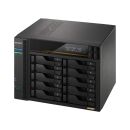
TS-431-4X3TB image 1TS-431-4X3TB image 2


TS-431-4X3TB

NAS - Enclosures for NAS / no drives included

QNap


TS-431-4X3TB information and overview
QNAP TS-431 TurboNAS & 4x Western Digital Red 3.0TB 3.5" SATA3 6.0Gbps NAS HDD

© Respective owners and brand holders. © 2026 ComXpert International CC. The contents has been generated by ComXpert International CC (//www.comx.co.za). All products are sourced locally in South Africa and the warranty is that of the local supplier only. E&OE.
Not for sale. This is a discontinued product.

Kindly search for an alternative on our site

Subject to correction, the product was last sold 2015-10-26, where the last unit was sold for R 13385, which may have been a final clearance price.


Specifications & more information about TS-431-4X3TB, NAS - Enclosures for NAS / no drives included manufactured by QNap
Specifications available as a download TS-431-4X3TB specifications Adobe PDF and printable version
Important notice The information displayed below this paragraph is for reference purposes only. The information may be generic in nature, which covers the entire range of products that fall within this category, and might not apply to this specific model. Please select the correct model as per the above description.

Kindly note that additional software, such as anti-virus and office software, are trial versions and a license will need to be purchased to use the software without limitations.

Overview:

The TS-431 is a powerful yet easy-to-use network storage center for backup, synchronization, remote access, and home entertainment. With the Notes Station, you can easily create digital notes on your private cloud and share with friends and colleagues at no extra cost. Powered by an advanced ARM® Cortex® A9 dual-core processor, the TS-431 delivers incredible performance as a home NAS with three USB 3.0, one eSATA, and dual LAN ports. See how TS-431 can enhance your digital lifestyle.

Features:

Dual-core processor delivers high performance
Equipped with powerful yet energy efficient Freescale™ ARM Cortex-A9 dual-core 1.2GHz processor, the TS-431 is a high-performance home NAS providing incredible performance of up to 110MB/s read & 80MB/s write throughput. The TS-431’s enhanced encryption and decryption performance provides transfer speeds of over 30MB/s with AES-256 bit full NAS volume encryption, boosting system performance & security while ensuring the safety of sensitive personal data stored in the TS-431. You can also use the TS-431 as a home multimedia hub to enjoy your photo, music and videos while downloading or backing up files without impacting the TS-431’s performance. When installed with the latest 802.11ac or dual-band 2.4GHz/5GHz 802.11n Wi-Fi USB adapter, the TS-431 can offer remarkably high speeds for transferring large amount of files and streaming bandwidth-consuming multimedia.

High Efficiency with dual LAN support
The TS-431 supports multiple port-trunking modes, enabling IT administrators to set up link aggregation to increase total data transmission capability. Failover and dual IP are also supported to ensure continuous system operations. The supported port-trunking modes include: Balance-rr (Round-Robin), Active Backup, Balance XOR, Broadcast, IEEE 802.3ad, Balance-tlb (Adaptive Transmit Load Balancing) and Balance-alb (Adaptive Load Balancing).

QTS - Simple and efficient
Thanks to QTS intuitive user interface, system operations of the TS-431 are smooth and handy. Its intelligent desktop allows you to find desired functions quickly, create desktop shortcuts or group shortcuts, monitor important system information on a real-time basis, and open multiple application windows to run multiple tasks concurrently, bringing greater operating efficiency.

Well-rounded backup solutions to secure data
By connecting external drives to the Turbo NAS via eSATA or USB, you can easily configure and copy shared folders on the TS-431 to external devices. The front panel USB port features a one-touch-copy function for you to instantly back up data on external drives to the TS-431 or alternatively to back up data from the TS-431 to external drives. QNAP’s NetBak Replicator supports real-time and scheduled data backup for Windows (including Outlook email archiving) and Mac OS X users can use Time Machine to effortlessly back up data to the TS-431. A wide range of third-party backup software such as Acronis® True Image and Symantec® Backup Exec are also supported.

Cross-platform file sharing, centralized data storage
The TS-431 supports SMB/CIFS, NFS, and AFP protocols for file sharing across Windows, Mac and Linux/UNIX. Data, logs and ISO image of CDs and DVDs can be centrally stored in the TS-431 and protected by an integrated antivirus solution.

Manage your files via the Internet
The File Station brings conventional desktop-style file operations to web browsers, allowing you to upload, download, and manage files on your TS-431 wherever there is an internet connection. Supporting file extraction, folder creation, and smart search for files and folders, File Station also allows you to easily share files with friends & family via unique URLs. With reliable security features, SSL and password options, managing & sharing your files is simple and safe with the File Station.

A private cloud without constraints
In contrast to the limited storage space and potential security concerns of public cloud services, the TS-431 is advantageous for establishing a secure and large-capacity private cloud. The myQNAPcloud service allows remote access to files stored on the TS-431, allowing you to play & share multimedia from the TS-431 or to conveniently check the system status from anywhere.

Create digital notes on your private cloud
Notes Station provides a private & secure way to share and collaborate on digital notes. With just a few steps you can create notes from web pages (or by importing from the TS-431), edit notes with the intuitive web-based editor, and take screenshots for quick note-taking with Qsnap or the Notes Station Clipper extension for Chrome. You can also easily leverage the rich media contents stored on the TS-431 to enhance your notes, and access them on your mobile phones or tablet devices by using Qnotes mobile app anytime, anywhere. With flexible privilege settings for editing & sharing notes, you can build a secure environment to work together with friends and colleagues. In addition, the Notes Station enables you to create to-do lists & calendar alerts that can be updated to your Google Calendar, helping manage your daily tasks more efficiently.

Archive your photo memories. Share your life.
The TS-431 acts as your photo vault for you to back up your favorite photos. The Photo Station makes photo sharing simple, and you can designate your own access right controls. Simply upload your photos to the TS-431 to create & organize your photo albums through a web browser, and share with your family and friends through social networking sites such as Facebook, Google+, Twitter and Pinterest. With the Qfile mobile app (for iOS® and Android™) you can also instantly upload your new photos from your mobile device to the TS-431.

Build your home music library and enjoy music anywhere
The Music Station helps categorize your music collection, and displays album covers to easily organize your personal playlists. Through the music station web player, you can enjoy your music anytime, anywhere with a few clicks. Thousands of local and global online Internet radio programs are also built-into the Music Station for you to enjoy.

Supports DLNA and AirPlay for media streaming
You can use DLNA-compatible devices such as Smart TVs, Sony® PS3, Microsoft® Xbox 360 and media players to enjoy HD quality videos stored on the TS-431. You can also use the Qfile app on an iOS device to browse videos and photos stored on the TS-431 and play on the TV via Apple TV. By installing the QAirplay app from the QTS App Center, you can stream your media content directly on a TV via Apple TV. The media contents are streaming on Apple TV, bypassing your mobile device, thus saving the energy of your mobile device.

Offline Video transcoding
With offline transcoding, if you can only connect to a slow, limited or restricted Internet connection, you can still enjoy smooth video streaming by playing a version of the video with a pre-rendered, optimized resolution. By setting an automatic transcoding folder, the TS-431 will automatically convert the videos in this folder to a range of resolutions for use on many different devices and internet speeds. As this transcoding is a background task, you can schedule the TS-431 to work during off-peak hours such as when you are at work or asleep, allowing you to enjoy a perfect stream of your favorite videos when you’re off work or wake up.

24/7 download center
The TS-431 is a perfect download center for high speed BT, Magnet, PT (Private Trackers), eMule, FTP, and HTTP downloads. After the download tasks are set ready, you can turn off the computer, and the TS-431 will download as many HD videos as you want. With the QGet utility you can manage your download tasks on multiple Turbo NAS devices remotely on the local network or the Internet. You can also install HappyGet app to back up abundant online videos to your TS-431.

Dropbox-like file synchronization across computers and mobile devices
With Qsync, your TS-431 is turned into a safe data center for file synchronization. Any file uploaded to the TS-431 will be made available for all linked devices, such as computers, laptops and mobile devices. Qsync is especially useful for frequent travelers in managing files and ensuring that different devices have the most up-to-date files. Qsync provides multiple ways for file synchronization and group file sharing, greatly enhancing the flexibility of team projects and collaboration.

Access, use, sync and enjoy with your tablets and smartphones
The TS-431 is your private cloud storage that virtually enlarges the capacity of your mobile devices. Qfile allows you to access, upload, download, manage, and share stored files easily as if you are all of your files in your pocket. If Qfile is installed on an iOS device, users can also browse videos & photos stored on the TS-431 and play via Apple TV. Qmanager lets you monitor & manage the TS-431 remotely and efficiently without turning on your PC, while Qmusic allows you to stream or download music from your TS-431 to mobile devices.

Comprehensive surveillance solution providing 24/7 security
The TS-431‘s Surveillance Station offers a professional surveillance solution with a user-friendly management interface, a wide range of over 2,700 compatible IP camera models, and default 2 free IP camera licenses that can be expanded up to 8 camera channels by purchasing additional licenses. It supports real-time monitoring, video and audio recording and playback with a wide range of customizable settings. You can also install the VMobile app on your iOS® or Android™ devices to manage the monitoring of cameras anytime, anywhere, for total surveillance of your monitored environment.

Install-on-demand apps to extend NAS functionality
The TS-431 has a built-in App Center that provides various install-on-demand apps developed by QNAP and third-party developers, including tools for backup/sync, business, content management, communications, download, entertainment, and much more. It is also a centralized location for managing & updating installed apps. In addition, QNAP’s development platform embraces the open-source spirit to enable developers to create their own apps, adding potentially limitless opportunities for the TS-431.

Enhance productivity with eSATA and multiple USB 3.0 ports
Equipped with an eSATA and three SuperSpeed USB 3.0 ports, the TS-431 allows you to flexibly arrange tasks with a wide range of external devices without interrupting your current workflow. You can back up files to USB drives & eSATA enclosures, access data stored on SD cards via USB card readers, share up to 3 printers via network, and connect to a UPS to ensure a continual power supply.

Energy-saving
The TS-431 features an energy-efficient dual-core ARM processor that maintains high performance in system operations and is suitable for an always-online personal cloud without running up a high electricity bill. Additional energy-saving features include hard disk standby, scheduled power on/off, and Wake on LAN.

Specifications:

©2026 Respective owners and brand holders. This table has been carefully researched and generated by ComXpert International CC (//www.comx.co.za), however, errors and omissions may occur. Only references to South Africa apply. All products are sourced in South Africa from the official suppliers and the warranty is that of the local supplier. E&OE. This table and our site's content may be used on condition that this notice and link remains intact and unaltered.
Specificationsspacer
Product CodeTS-431-4X3TBspacer
Hardware Specifications
CPU Freescale ARM Cortex -A9 dual-core 1.2GHz processor with hardware encryption engine
DRAM 512MB
Flash Memory 512MB eMMC
Hard Disk Drive 4 x 3.5" or 2.5" SATA 6Gb/s, SATA 3Gb/s HDD or SSD
NOTE:
1. The system is shipped without HDD.
2. For the HDD compatibility list, please visit http://www.qnap.com/compatibility
Hard Disk Tray 4 x Hot swappable tray
LAN Port 2 x Gigabit RJ-45 Ethernet port
LED Indicators Power, Status, LAN, USB, HDD1-4
USB/eSATA 3 x USB 3.0 port (Front: 1, Rear: 2)
1 x eSATA port (Rear)
Support USB & eSATA storage devices, USB printer, pen drive, and UPS etc.
Buttons Power, USB One-Touch-Copy, reset
Alarm Buzzer System warning
Form Factor Tower
Dimensions 177(H) x 180(W) x 235(D) mm
6.97(H) x 7.09(W) x 9.25(D) inch
Weight Net: 3 kg (6.61 lbs); Gross: 4.3 kg (9.48 lbs)
Power Consumption (W) HDD standby: 14.84W
In operation: 33.75W
(with 2TB HDDs installed)
Operating Temperature 0 - 40degC / 32~104degF
Humidity 5 ~ 95% RH non-condensing, wet bulb: 27degC
Power Supply External Power Adapter, 90W, 100-240V
Secure Design Kensington security slot for theft prevention
Fan 1 x quiet cooling fan (12 cm, 12V DC)
Certification FCC, CE, BSMI, VCCI, C-TICK
Software Specifications
Operating System QTS 4.1 (embedded Linux)
Storage Management 1. Single Disk, JBOD, RAID 0, 1, 5, 6, 10, 5 + spare
2. Global hot spare
3. Online RAID capacity expansion
4. Online RAID level migration
5. Bad block scan and hard drive S.M.A.R.T.
6. Bad block recovery
7. RAID recovery
8. Bitmap support
Supported Clients 1. Windows 7 and Windows Server 2003 onward, Apple Mac OS X onward, Linux & UNIX
Power Management 1. Wake on LAN
2. Internal hard drive standby mode
3. Scheduled power on/off
4. Automatic power on after power recovery
5. USB and network UPS support with SNMP management
Supported Browsers 1. Google Chrome
2. Microsoft Internet Explorer 10+
3. Mozilla Firefox
4. Apple Safari
Access Right Management 1. Import/export users
2. User quota management
3. Local user access control for CIFS, AFP, FTP, and WebDAV
4. Application access control for Photo Station, Music Station, and Video Station
5. Subfolder permissions support for CIFS/SMB, AFP, FTP, and File Station
Multilingual Support Chinese (Traditional & Simpli ed), Czech, Danish, Dutch, English, Finnish, French, German, Greek, Hungarian, Italian, Japanese, Korean, Norwegian, Polish, Portuguese (Brazil), Romanian, Russian, Spanish, Swedish, Thai, Turkish
myQNAPcloud Service 1. Private cloud storage and sharing with myQNAPcloud id (QID)
2. Free host name registration (DDNS)
3. Auto router (via UPnP) con guration
4. Web-based file manager with HTTPS 2048-bit encryption
5. Cloudlink for remote access without complicated router setup
6. myQNAPcloud connect for easy VPN connection (Windows VPN utility)
File System 1. Internal hard drive: EXT4
2. External hard drive: EXT4, EXT3, NTFS, FAT32, HFS+
Qsync 1. Syncs files among multiple devices with SSL support
2. Selective synchronization for syncing specific folders only
3. Share team folder as a file center for team collaboration
4. Shares files by links via e-mail
5. Policy settings for conflicted files and file type filter support
6. Incremental synchronization for HDD space saving
7. Supports Windows & Mac OS
Networking 1. TCP/IP: IPv4 & IPv6
2. Dual Gigabit NICs (failover, multi-IP settings, port trunking/NIC teaming )
3. Service binding based on network interfaces
4. Proxy client, proxy server
5. DHCP client, DHCP server
6. NTP server
7. Protocols: CIFS/SMB, AFP(v3.3), NFS(v3), FTP, FTPS, SFTP, TFTP, HTTP(S), Telnet, SSH, iSCSI, SNMP, SMTP, and SMSC
8. UPnP & Bonjour discovery
9. Wi-Fi 802.11 ac/a/b/g/n USB adapter support
Web Administration 1. Personalized desktop
2. Smart toolbar and dashboard for system status
Dynamic DNS (DDNS)
SNMP (v2 & v3)
Resource monitor
3. Network recycle bin for file deletion via CIFS/SMB, AFP and File Station
Automatic cleanup
File type filter
4. Comprehensive logs (events & connection)
5. Syslog client/server
6. Mobile app: Qmanager for remote system monitoring & management
Security 1. Network access protection with auto-blocking: SSH, Telnet, HTTP(S), FTP, CIFS/SMB, AFP
2. CIFS host access control for shared folders
3. AES 256-bit volume-based data encryption
4. AES 256-bit external drive encryption
5. Importable SSL certi cate
6. Instant alert via E-mail, SMS, and beep
7. Antivirus protection
File Server 1. File Sharing across Windows, Mac, and Linux/UNIX
2. Windows ACL
3. Advanced folder permission for CIFS/SMB, AFP, FTP
4. Shared folder aggregation (CIFS/SMB)
Download Station 1. PC-less BT, FTP/FTPS, and HTTP/HTTPS download (up to 500 Tasks)
2. BT download with Magnet Link and PT support
3. Scheduled download and bandwidth control
4. RSS subscription and download (broadcatching)
5. Bulk download with wildcard settings
6. BT search
7. Proxy support for BT download
8. PC utility: Qget for downloads browsing and management
9. Mobile app: Android Qget for downloads browsing and management
FTP Server 1. Supports ISO Mounting (Up to 256 ISO Files)
2. Support thumbnail display of multimedia files
3. Support share download link and upload link
4. Drag-n-drop Files via Chrome and Firefox Browsers
5. Photo, music, and video preview and playback
6. File Compression and decompression (ZIP and 7z)
Print Server 1. Max number of printers: 3
2. Print job display and management
3. IP-based and domain name-based privilege control
Backup Station 1. Remote replication server (over rsync)
2. Real-time remote replication (RTRR) to another QNAP NAS or FTP server
3. Works as both RTRR server & client with bandwidth control
4. Real-time & scheduled backup
5. Encryption, compression, file filter, and transfer rate limitation
6. Encrypted replication between QNAP NAS servers
7. Desktop backup with QNAP NetBak Replicator for Windows
8. Apple Time Machine backup support
9. Data backup to multiple external storage devices
10. Third party backup software support: Veeam backup & replication, Acronis True Image, Arcserve backup, EMC retrospect, Symantec Backup Exec, etc.
Surveillance Station 1. Supports over 2,700 IP cameras
2. Includes 2 free camera licenses, up to 8 camera channels via additional license purchase
3. Instant playback to check the recent event
4. Visual aid by e-map
5. Playback and speed control by shuttle bar
6. Video preview on playback timeline
7. Intelligent video analytics (IVA) for advanced video search
8. Surveillance client for Mac
9. Mobile surveillance app: vmobile (iOS and Android)
10. Mobile recording app: vcam (iOS and Android)
Photo Station 1. Show photos in thumbnails, list, timeline, or folder view
2. Supports virtual/smart album
3. Tags photos with text, color, and rating
4. Slideshows with background music and different transition effects
5. Animated thumbnails for videos
6. Geotags photos and display them on Google maps
7. Shares slideshows link to social websites or through email
8. Supports Facebook friends login
Notes Station 1. Graphical web-based editor for taking notes
2. Integrate with NAS file system: insert attachment or image from NAS file system
3. Event calendar and to-do list
4. Image editor
5. Provide Chrome Extension: Notes Station Clipper
6. Clip web page content to your note
7. Mobile app: Qnotes
Music Station 1. Plays or Shares Music Collections with Web Browser
2. Automatic Classi cation via Media Library
3. Supported audio format: AIFF, APE, FLAC, M4A, M4A Apple Lossless (ALAC), MP3, Ogg Vorbis, WAV (PCM, LPCM), WMA, WMA PRO, WMA VBR
* DRM encryption format is not supported.
4. Internet Radio (MP3)
5. Up to 8 Music Alarms
Signage Station 1. Support dynamic content includes video, image, music, and text message
2. Multi-user collaboration
3. Support email and social network sharing
4. Support design software - iArtist Lite for Windows
5. Support various browser playback (Chrome, Firefox, IE, Safari)
iTunes Server 1. Audio and Video Sharing for Windows & Mac iTunes
iSCSI (IP SAN) 1. iSCSI Target
2. Multi-LUNs per Target
3. Up to 256 Targets/LUNs Combined
4. Supports LUN Mapping & Masking
5. File-based LUN
6. Online LUN Capacity Expansion
7. iSCSI LUN Backup, One-time Snapshot, and Restore
8. iSCSI Connection and Management by QNAP Finder (Windows)
9. Virtual Disk Drive (via iSCSI Initiator)
10. Max No.of Virtual Disk Drives: 8
Video Station 1. Show photos in thumbnails, list, timeline, or folder view
2. Tags videos with text, color, and rating
3. Animated thumbnails for videos
4. Shares video collection link to social websites or through email
5. Display movie information from IMDB
VPN Server 1. Secure remote access: PPTP &OpenVPN VPN services
2. Max number of clients: 15 for PPTP & 15 for OpenVPN
DLNA Server 1. Supports DLNA/UPnP TVs and Players such as PlayStation 3 and Xbox 360
2. Supported audio format: AIFF, APE, DSD (DSF, DFF), FLAC, M4A, M4A Apple Lossless (ALAC), MP3, Ogg Vorbis, WAV (PCM, LPCM), WMA, WMA PRO, WMA VBR
*DRM encryption format is not supported.
3. Support CUE indexing file for APE, FLAC audio format.
4. Video and Audio On-the- y Transcoding
Domain Authentication Integration 1. Microsoft Active Directory (AD)
2. Domain controller
3. LDAP server, LDAP client
4. Domain users login via CIFS/SMB, AFP, FTP, and File Station
Transcode Management 1. Offline video transcoding: 240p, 360p, 480p, 720p and 1080p resolution
2. Automatic video transcoding for watched folders
App Center 1. More than 100 official and community software add-ons
AirPlay 1. Streams videos, photos and music from NAS to Apple TV via Q le or QAirPlay's web-based controller
Mobile Apps 1. Qfile: iOS, Android Phone, window phone
2. Qfile HD: iPad version
3. Qmanager: iOS, Android Phone
4. Qmusic: iOS, Android Phone
5. Qremote: iOS, Android Phone
6. Qget: Android Phone
7. Vmobile: iOS, iPad, Android Phone
Digital TV Station 1. DVB-T Digital TV Live View, Recording, and Playback
2. Electronic Programming Guide (EPG) with Scheduled Recording


WebAfrica Internet


The best price and guaranteed service and backup from official computer suppliers in South Africa for the TS-431-4X3TB QNAP TS-431 TurboNAS 12TB (4 x 3TB) Network Attached Drive.
Available from this online computer store delivering door-to-door in Johannesburg, Cape Town, Port Elizabeth, Pretoria, Pietermaritzburg, Polokwane, Durban and all over South Africa.

Find related TS-431-4X3TB QNAP TS-431 TurboNAS 12TB (4 x 3TB) Network Attached Drive products in our NAS - Enclosures for NAS / no drives included Category for even more options. Read reviews and find out about TS-431-4X3TB QNAP TS-431 TurboNAS 12TB (4 x 3TB) Network Attached Drive. Discounts, specials and cheap prices only at ComX Computers.


Previous page
Back to top


TS-431-4X3TB laptops South AfricaTS-431-4X3TB Notebooks South AfricacomputersTS-431-4X3TB notebook sales in South Africa
CGSO
ComX Computers is a South African online store since 2002. All transactions are subject to our terms of sale.

E&OE. All prices and specifications are subject to change without notice. All prices are a reference and are an invitation for potential buyers to make an offer to purchase, which we may reject without reason. At no point do we make offers to sell on any website and quotes are required before a purchase can be made.

All materials and content posted on this Web site, including, but not limited to, all text, graphics, photographs, data, images, functions and scripts are the property of, subject to and protected by copyrights owned by the ComXpert International CC © ("ComX Computers" / " Laptop Direct" ).

Other brands, trademarks and Logos are the property of their respective owners in South Africa and/or other countries.

Navigate
Policies
Other links
Related sites
laptop sales
computer sales