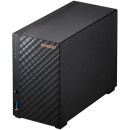
Specifications & more information about TS-233, NAS - Enclosures for NAS / no drives included manufactured by QNap
Specifications available as a download
Important notice The information displayed below this paragraph is for reference purposes only. The information may be generic in nature, which covers the entire range of products that fall within this category, and might not apply to this specific model. Please select the correct model as per the above description.
Kindly note that additional software, such as anti-virus and office software, are trial versions and a license will need to be purchased to use the software without limitations.
TS-233 Save you money and time. The best entry-level NAS storage.
Run your own personal cloud storage and enjoy easy file access, sharing, and syncing with the TS-233 . Designed for beginners and home NAS users, the TS-233 not only simplifies data storage and collaboration but also features rich multimedia applications as a complete home entertainment portal.
Centralized multimedia management Centrally store photos, music, and videos; easily browse, organize, and share multimedia files.
AI-powered image recognition With a built-in NPU (Neural network Processing Unit) processor, the TS-233 boosts performance for high-speed face and object recognition.
Home entertainment center Supports ARM NEON technology that accelerates video processing for a greater entertainment experience.
Secure remote access myQNAPcloud allows you to easily access, manage, and share NAS files via the Internet.
Snapshot protection against Ransomware Protect your files and data from accidental deletion and malware attacks by using advanced snapshot protection.
Comprehensive security management Serves as a secure private cloud and supports user account protection, IP blocking, 2-step verification, encryption access, and more.
Overview summary:
The QNAP TS-233 2-Bay NAS is an ideal entry-level network-attached storage solution for home users and small offices in South Africa. Featuring an efficient 64-bit ARM Cortex-A55 2.0GHz quad-core processor, 2GB of onboard memory, and dual SATA bays supporting both 3.5" and 2.5" drives, this compact tower NAS offers reliable file backup, media streaming, and personal cloud hosting. With built-in AI acceleration via an NPU for fast image recognition and seamless media handling, the TS-233 transforms your digital storage into a smart and secure data center.
With support for snapshots, hybrid backup solutions, cloud sync, secure remote access, and a user-friendly QTS 5 OS, this NAS empowers users with enterprise-level features in a compact, cost-effective design. It's perfect for safeguarding important files, media collections, and personal or professional data with robust security protocols, advanced backup options, and app extensibility through QNAP’s App Center.
NAS drive tier: Entry-Level Smart NAS NAS drive uses: Personal cloud storage, remote access, media server, AI-based photo management, data backup and sync, and small office file sharing
Features:
Minimalist design The compact and slim TS-233 prioritizes a clean and essential design, and perfectly blends into your home or office. The design extends to the hard drives, which can be installed without needing a screwdriver.
Effective cooling fan for heat flow The TS-233 is small in size and remains high-performance, cool, and quiet with an effective cooling fan.
NPU accelerates on-device AI performance. 6x Faster face recognition. With a built-in NPU (Neural network Processing Unit) processor, the TS-233 boosts QNAP AI Core (the AI-powered engine for image recognition) performance for high-speed face and object recognition.
QTS 5, Fast, smooth, and easy-to-use! The TS-233 comes with the QTS 5 operating system as standard, providing a next-generation usage experience with an updated system kernel, optimized user interface, and advanced security features.
Brighter. Smoother. You'll like it. When navigating QTS 5, you will notice a finer attention to detail for a superior browsing experience. Enjoy a smoother NAS experience, comfortable visual design, and find your favorite apps quicker.
Get started with the notice board When performing first-time installation, the notice board guides you through the setup process. Simply follow the step-by-step instructions for a quick and easy setup.
Smooth and reactive user interface Whether clicking buttons, switching between apps, expanding/collapsing windows - every action is much smoother. The search bar in the main menu also assists in quickly finding desired apps.
An easy-to-use, all-in-one backup solution The TS-233 can do many things, but at its heart is a complete backup solution to protect your files and data. By regularly backing up your files and device content, you can make data loss a thing of the past.
Back up Windows/Mac files For Windows, install NetBak Replicator to back up your PC files to the TS-233 . In macOS, simply set up the built-in Time Machine to back up files to NAS. Learn More: NetBak Replicator utility
Back up photos on mobile devices Install Qfile or QuMagie mobile app and enable the "auto-upload" function. Photos will be automatically uploaded to your TS-233 as soon as they are taken. Learn More: QuMagie Mobile app, Qfile mobile app
Back up USB drives & external hard drives Simply plug in the storage device to the front USB port of the TS-233 and press the One-Touch Copy button to back up all files to the NAS.
Back up Google Drive Hybrid Backup Sync can safely back up files and data from Google Drive to the TS-233, helping you save money on cloud storage costs.
Back up NAS files to the cloud Hybrid Backup Sync supports QNAP-hosted myQNAPcloud Storage and numerous public cloud services, allowing you to effortlessly back up or sync NAS files to cloud storage. Learn More: Hybrid Backup Sync multi-cloud backup, QNAP-hosted myQNAPcloud Storage
Back up NAS files to remote sites With Hybrid Backup Sync, you can easily backup or sync files and data from the TS-233 to a remote QNAP NAS or server for multiplied data protection. Learn More: Hybrid Backup Sync remote backup
Back up WordPress sites Enjoy efficient WordPress backup/restore and site migration by leveraging the user-friendly Multi-Application Recovery Service (MARS), and easily batch backup WordPress files and database to the TS-233 with backup scheduling. Learn More: WordPress backup solution
Protect your data from ransomware threats with Snapshots Snapshots are an advanced backup method and are normally reserved for high-end business NAS. QNAP provides snapshots as standard for all NAS - including the TS-233 . Snapshots work by recording the current state of the system, allowing it to be restored back this state at any time - greatly helping in mitigating the threat of ransomware.
Back up PCs to your NAS Always remember to back up! You should routinely (or automatically) back up files and data from your computer to your TS-233.
The best storage for your high-resolution multimedia files High-resolution RAW files eat up phone storage so quickly. Whether you are a photographer enthusiastic, YouTuber, or professional photo/video editors, use the TS-233 with high-capacity hard drives to alleviate your storage anxiety and organize files efficiently as the best storage center.
Enhanced multimedia experience The TS-233 supports ARM NEON technology to accelerate video processing for a greater entertainment experience. Stream media files from the TS-233 to DLNA devices and TVs using common media streaming devices including Roku, Apple TV (via Qmedia ), Google Chromecast, and Amazon Fire TV.
Playback quality may vary due to factors including playback software, file formats, system usage, and available bandwidth. H.265 hardware transcoding requires installing CAYIN MediaSign Player with Plus license.
Tips for a more productive workday With a wide range of awesome apps, you can easily access files from various devices, instantly synchronize files with friends' or colleague's devices, quickly find specific files, and automatically organize your documents and media files. You can also map the TS-233's shared folders as network drives on your computers, making accessing NAS files easy and intuitive. The TS-233 helps you save time while being more efficient and productive.
Access your NAS from anywhere The myQNAPcloud service enables quick and easy remote access to your TS-233, allowing you to be always connected without needing to configure complex network settings. With myQNAPcloud Link you are provided with a unique domain name for your TS-233, and will automatically connect using the best method based on your network environment.
Protect your data with higher security The TS-233 provides advanced privacy and security settings but is easy to set up and use. Besides IP blocking and HTTPS connectivity, there are more apps that help ensure an optimal level of NAS protection against threats like malware and hackers.
Enable multi-factor authentication It is strongly recommended to enable secure login methods such as passwordless login and 2-Step Verification for adding an extra layer of data security. Learn More: QNAP Authenticator
Advanced folder permissions Easily manage folder permissions, specifying read, read/write, and deny access of individual users to each folder and subfolder.
QuFirewall protection Supports IPv6, firewall access lists, and GeoIP filtering to restrict access based on geographical locations for higher NAS network security. Learn More: QuFirewall
Superior security with QVPN A virtual private network (VPN) allows secure access to network resources and services across public networks. QVPN supports creating a VPN client, using the TS-233 as a VPN server, and WireGuard VPN service with an easy-to-use interface for setting up a secure connection. Learn More: QVPN
Security Counselor A security portal for the TS-233 to check for weaknesses and offer recommendations for enhancing NAS security. It also integrates anti-virus and anti-malware scanning software. Learn More: Security Counselor
Host container applications If you are curious about Docker or are a hobbyist developer, Container Station on the TS-233 integrates Docker lightweight virtualization technology, allowing you to run all kinds of self-contained applications. You can download apps from the built-in Docker Hub, including popular and fully-configured applications, and deploy them with just one click. From smart homes to multimedia applications, you can explore your creativity and bring containerized applications to life.
Besides Container Station, more apps (including tools for backup/sync, content management, communications, download, and entertainment) are available from the App Center. Simply click and install on-demand to further extend the functionality of your TS-233.
Flexible and economical storage expansion QNAP provides easy and affordable solutions to expand your NAS storage capacity.
Attach QNAP expansion enclosures Connect expansion enclosures to the TS-233, and manage NAS storage expansion with the user-friendly Storage & Snapshots Manager app. Learn More
Mount cloud storage or remote file servers Mount cloud storage or remote file servers to expand the capacity of the TS-233 while also centrally managing files on the NAS, cloud storage, and remote devices. Learn More
Migrate to a new NAS Install your NAS hard drives into a larger QNAP NAS and retain all your existing data and configurations. Learn More
Upgrade RAID capacity Hot-swap lower-capacity drives with larger-capacity drives to expand your NAS capacity so it can grow with your files and multimedia collections. Learn More
More productivity-boosting applications The TS-233 provides an App Center that includes feature-rich apps to expand your NAS potential!
The best price and guaranteed service and backup from official computer suppliers in South Africa for the TS-233 QNap TS-233 2 bay Desktop NAS, 2x 3.5" bays.
The QNap
TS-233QNap TS-233 2 bay Desktop NAS, 2x 3.5" bays is available for R5390. The product is sold by ComX Computers as new. Prices are valid today 2026-07-25 (before , by quote, while stocks last). The product is expected to be in stock, although this is not guaranteed.
Available from this online computer store delivering door-to-door in Johannesburg, Cape Town, Port Elizabeth, Pretoria, Pietermaritzburg, Polokwane, Durban and all over South Africa.
Find related TS-233 QNap TS-233 2 bay Desktop NAS, 2x 3.5" bays products in our NAS - Enclosures for NAS / no drives included Category for even more options. Read reviews and find out about TS-233 QNap TS-233 2 bay Desktop NAS, 2x 3.5" bays. Discounts, specials and cheap prices only at ComX Computers.





 Up
Up Down
Down


 Mobile store