| | Media centres | |
| |
| | Media centres sales South Africa |
|
 Select by brand Select by brand
Latest Media centres
Media DevicesTurn any television into a powerful media hub. This top category groups the main types of streaming and playback devices, outlines popular streaming services in South Africa, and lists common file formats and features to help you choose the right media solution for your home or office. Browse by device type- Streaming dongles: Compact HDMI devices that plug directly into the TV. Ideal for quick setups, travel and secondary TVs. Usually powered via USB and controlled with a simple remote or mobile app.
- Cast devices: Focused on casting from phones, tablets and laptops. Send video, music and photos from your device to the TV and keep using your phone while content plays.
- Android media centre boxes: Set-top boxes that run Android TV or Android based interfaces. Install apps, use voice search, pair Bluetooth remotes and game controllers, and stream up to 4K on supported models.
- Android mini PCs: Small computers running Android with added storage and ports. Good for local media playback, file management and sideloaded apps alongside streaming.
- Apple TV style streaming boxes: Tight integration with mobile devices and casting, app store access, voice assistant support and premium video features on compatible models.
- Network media players: Designed for local network playback from NAS or USB storage in addition to streaming apps. Often support a wide range of video and audio formats.
- Smart remote controls and accessories: Replacement or upgrade remotes, air mice, voice remotes, game controllers and infrared extenders for TV boxes and dongles.
Streaming services commonly used in South AfricaAvailability and app support may vary by device and region. Check your device app store for current availability. - Netflix
- Showmax
- Amazon Prime Video
- Disney+
- YouTube
- Apple TV+
- Local catch-up and live TV apps where offered
- Music and radio services via dedicated apps
- Sports streaming services when regionally supported
Common media file formats and codecsVideo containers- MP4, MKV, MOV, AVI, TS, M2TS
Video codecs - H.264 AVC, H.265 HEVC, VP9, AV1 on newer devices
Audio codecs- AAC, MP3, FLAC, WAV, OGG
- Dolby Digital AC-3 and Dolby Digital Plus E-AC-3 on supported devices
- DTS pass-through on select models
Subtitles- SRT, ASS SSA, VTT, PGS depending on player app support
Picture and sound features- Resolutions: HD, Full HD, 4K - check maximum output per device
- HDR formats: HDR10, HLG and device specific dynamic HDR support on select models
- Audio: Stereo, surround pass-through via HDMI ARC or eARC when supported by TV and sound system
Connectivity options- Wi-Fi: Dual-band Wi-Fi helps maintain stable 4K streaming
- Ethernet: Wired connection for maximum stability and lower buffering
- HDMI: Connects to the TV or AV receiver; check version for 4K HDR support
- USB and microSD: Local media playback and expandable storage on compatible devices
- Bluetooth: Pair remotes, headphones, speakers and controllers
- Casting protocols: Chromecast built-in, AirPlay and Miracast on supported devices
How to choose the right device- Apps first: Confirm your preferred streaming services are supported on the device and region.
- Network stability: Use Ethernet for 4K if possible; otherwise choose strong dual-band Wi-Fi.
- Performance: Look for modern processors and adequate memory for smooth app navigation and playback.
- Audio and video: If you have a 4K HDR TV or a soundbar AVR, match the device capabilities to your setup.
- Local media: For NAS or USB playback, prioritise broad codec support and good file browser apps.
- Control: Decide between simple remotes, voice remotes or full keyboard air mouse options.
Accessories to consider- Voice or backlit remote controls for easier navigation
- HDMI cables certified for 4K HDR
- USB hubs and card readers for local media
- Ethernet adapters for dongles that need wired networking
- Game controllers for cloud gaming and Android games
Setup tips- Use the TV HDMI port with the best bandwidth and enable enhanced modes in TV settings for 4K HDR
- Set device resolution to match the TV and streaming plan
- Keep firmware and apps updated for new features and security fixes
- Organise apps on the home screen and enable profiles or parental controls where offered
With the right combination of device type, connectivity and app support, a modern media centre can transform everyday viewing into a flexible, high quality streaming experience across South Africa.
A sample of Media centres that this computer shop has on offer- G20
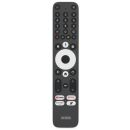
Mecool G20 Remote Compatible With Mecool ATV & GTV Devices - USBHDMI
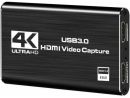
Microworld USB 3.0 HDMI Video Capture card - MC.JTH11.006
Aopen EZCast CS2 - Wireless Plug & Play Display Receiver - PFJ4211GL
Xiaomi TV Stick HD (2nd Gen) - D79C100290A17
Xiaomi Mi Box S and TV Stick Remote Control - CAS-ANDROID-GD2
Amlogic S905Y4-B 4K Android TV Box - T2GTV
ETOE T2 Certified 4K UHD Google Android Smart TV Stick - PFJ4197EU
Xiaomi TV Stick 4K (2nd Gen) Media Player - ACER AiTV BOX GP. OTH11.08V
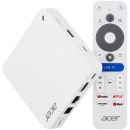
Acer AiTV 4K UHD Google Streaming device
View all Media centres by selecting one of the subcategories
|
| |
| | | | |
 | | | | |




 Up
Up Down
Down


 Mobile store