| |

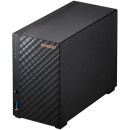
TS-220 QNAP 2 Bay Desktop NAS
Images are for illustrative purposes and actual product may differ.
TS-220 NAS - Enclosures for NAS / no drives includedQNap
TS-220 information and overview
QNAP TS-220 TurboNAS - 2-Bay, SerialATA 3Gbps, Marvell 6282 1.6GHz Processor, 512MB DDR3 RAM, 1x Gigabit LAN Port, USB 3.0, Firmware QTS 4.0, ©2013 ComXpert International CC© Respective owners and brand holders. © 2026 ComXpert International CC. The contents has been generated by ComXpert International CC (//www.comx.co.za). All products are sourced locally in South Africa and the warranty is that of the local supplier only. E&OE.
Not for sale. This is a discontinued product.
Kindly search for an alternative on our site
Subject to correction, the product was first added on 2013-12-09 and the last date we have for this product is 2016-08-15, where the last unit was sold for R 2755, which may have been a final clearance price.
Specifications & more information about TS-220, NAS - Enclosures for NAS / no drives included manufactured by QNap
Specifications available as a download  
Important notice The information displayed below this paragraph is for reference purposes only. The information may be generic in nature, which covers the entire range of products that fall within this category, and might not apply to this specific model. Please select the correct model as per the above description.
Kindly note that additional software, such as anti-virus and office software, are trial versions and a license will need to be purchased to use the software without limitations.
Overview: TS-220 2-bay home & SOHO NAS for personal cloud and social sharing - Multi-window, multi-tasking GUI
- Data storage, backup, sharing and disaster recovery
- Rich multimedia applications for entertainment
- Dropbox-like file synchronization
Simple yet Powerful Storage
The TS-220 is a powerful yet easy to use network storage center for data storage, backup, synchronization, remote access, and home entertainment. As your personal cloud, you will always be connected to your files and your files are always under your control.
See how TS-220 featuring the QTS 4.0 can make your digital life easier, simpler and more convenient. - Organize your data/content and backups in one centralized location.
- Synchronize files across computers, tablets, and mobile devices, and share files across different groups and communities.
- Collect, enjoy, and share your large photo, music, and video collection.
- Enjoy HD movies or family videos on TV when streamed through various network players.
- Access, manage and enjoy all your files with your tablets and smartphones.
- Extend your diverse applications on the TS-220 by installing more than 80 apps on demand in the App Center.Using the TS-220 is as easy as just clicking the icons below:
Easier Operations on QTS 4.0 Desktop
The Desktop including quick Main menu, graphic dashboard, drag-and-drop icons, multiple desktops, personalized wallpapers, and the smart toolbar making system operations much easier. In addition, multi-tasking is supported which allows multiple windows to be open to access multiple applications concurrently.
Centralize and Protect your Data
The TS-220 is a high-performance cross-platform storage with many friendly storage and backup options that centralizes and protects all your important files on one single device. Data Security
User Access Controls
All your digital files stored can be managed to share with your family and friends. User accounts, user groups, shared folder access right, and user quota can be flexibly and easily set up by yourself.
Unauthorized
A comprehensive list granting proper access from different users based on IP address can be established to authorize or deny access to the TS-220.
Anti-virus
The TS-220 has a built in feature to detect and protect against viruses, malware, worms, and Trojan horses.
Access and Network Transfer
SSH remote login, SSL security (HTTPS), Secure FTP, and encrypted remote replication are supported.
Detailed Logs
Detail logs of file-level access to the TS-220 via different file transfer protocols, and services accessed by online users can all be recorded.
Freely Access your Cloud Anywhere
All of your content is available on the go! Through any Web browser or the free app for tablets and smartphones the TS-220 becomes your personal cloud so you are always connected to your data. Take advantage of the service, which allows you to remotely access your TS-220 wherever you are. Instantly stream or share your multimedia contents and share them with your friends.
Synchronize and Share
Access from anywhere
is a new feature that allows you to sync all your devices on the go! It can be synced literally anywhere- on the web, at your home, in the office and on the go. Photo Albums on the Cloud
The TS-220 acts as your photo vault for you to back up your favorite photos. The makes photo sharing simple, and you can designate your own access right controls. Simply upload your photos to the TS-220 to create and organize your photo albums through a web browser to share with your family and friends. Your mobile devices are useful too, with the Qfile mobile app in your iOS or Android devices you can instantly upload photos to the TS-220.
View photo slideshow with background music - Display photo details from EXIF: Date, exposure time, aperture, etc.
- Publish photos in a few clicks to social networking sites such as Facebook, Google+, Twitter, MySpace, and more.
- Share photos with your friends and family via email
- Browse photos via the Qfile app on iPhones, iPads, and Android devices
Build your Home Music Library and Enjoy Music Anywhere
The helps categorize your music collection, and displays album covers to easily organize your personal playlists. Through the music station web player, you can enjoy your music anywhere, anytime with a few clicks. Thousands of local and global online Internet radio programs are built-into Music Station for you to enjoy. - You can listen to your favorite MP3 songs streamed from, or play music by web browsers on your PC.
- With app plugin, you can efficiently manage and play them with Logitech music players without even turning on the PC.
- Stream music to your UPnP Hi-Fi system and indulge in high-quality sound experience.
- Listen to your music on mobile devices through Qmusic app
Interact Through your Favorite Social Media Sites
Many applications on the TS-220 are designed with friendly options allowing you to share and connect with your social media communities. When you use, or, you can pick and share photos and video links directly to your Facebook. allows you to stream and share your music playlist with your friends and family on your social media platforms.
Enjoy your Videos via AirPlay
The TS-220 supports Apple AirPlay function. You can enjoy video and multimedia contents on AirPlay-enabled devices with the QAirplay application or the Qfile mobile app.
Available in the App Center, QAirplay allows you to steam your media content directly on TV via AirPlay-enabled devices such as Apple TV. The media contents are streaming on Apple TV, bypassing your mobile device, thus saves the energy of your mobile device.
Alternatively, the mobile app allows you to browse videos and photos stored on the TS-220 and play on the TV via AirPlay-enabled devices such as Apple TV. It is just that convenient to enjoy multimedia entertainment through the wireless experience.
A Sharing Center for your Home Theater
The TS-220 is an ideal video storage center for you to store your movie and home video collection. It features high-speed data transfer, fast enough to support multiple 1080p HD streams. The quiet operation design brings you the best cinema-grade home theater experience right to your living room. - QNAP DLNA Media Server supports wireless streaming of all the videos, photos and music stored in the Media Library to any certified devices, such as PS3, Xbox360, and so on. It supports thumbnails shown on the DLNA devices for identifying the content quickly.
- TwonkyMedia DLNA Server is also supported to share and stream media contents in the multimedia folder of the TS-220.
- Use the TS-220 as a PLEX media server and enjoy your content through any Plex client or Smart TV.
- The TS-220 can work with different media players through SMB/CIFS or other standard protocols.
HappyGet
Ever wanted to archive your favorite online videos? is a handy third-party tool that allows you to download HD videos to the TS-220. By installing the HappyGet plug-in on the Chrome Web Store, you can select your preferred playlist and download an array of videos all at once with the embedded HappyGet button.
24/7 Download Center
The TS-220 is a perfect for high speed BT, Magnet, PT (Private Trackers), eMule, FTP, and HTTP download. Your computer never needs to be on when you download your files and managing your download can be done through any web browser. With the QGet utility you can manage your download tasks on multiple NAS devices remotely on the local network or the Internet. The TS-220 also supports continuous NZB download, and eMule download by installed App Center apps without turning on a PC. Now, it also supports RSS download (broad catching) for automatic BT download.
App Center with rich apps to install on demand
The centralizes various apps developed by QNAP and third-party developers. Popular apps such as Google Drive, Plex media server, NZBGet, Python, and more are available in the App center for you to enhance your TS-220 experience. Installation is virtually immediate, with just one click the App will start installing onto the NAS.
Surveillance Station Pro - Protect your Home and Valuables
The TS-220 uses renowned QNAP VioStor NVR software. The TS-220 becomes a professional surveillance station to view IP cameras from your web browser and mobile devices. Supporting over 1,000 IP camera advance features are also included with the Surveillance Station Pro software, such as real-time monitoring, recording, and playback. With the user-friendly interface and the expandable IP camera channel licenses, Surveillance Station Pro builds a professional surveillance center for you to monitor your things that you value easier.
Access, Use, Sync and Enjoy with your Tablets and Smartphones
The TS-220 is your private cloud storage that virtually enlarges the capacity of your smart mobile devices. allows you to access, upload, download, manage, and share stored files easily as if you are carrying tons of files in your pocket. Music, photos and videos can be streamed, enjoyed and shared anytime, anywhere. lets you monitor and manage the TS-220 remotely and efficiently without turning on a PC.
Easy System Setup
Installation process is done completely through the cloud. Simply visit the setup portal, follow the setup guide to complete the system setup and download the utilities you want.
Besides, the "Auto Setup" option provides an easy way to set up the Turbo NAS with recommended settings. All settings can be flexibly changed at a later time after the installation.
Expandable Storage
The TS-220 supports large storage capacity, fulfilling the increasing demand for storage. It supports comprehensive and online RAID capacity expansion appropriately storing important data and reducing risks of data loss.
Superior Performance
Powered by the Marvell ARM 1.6 GHz processor, the TS-220 provides a large storage capacity for archiving files, videos, and music. The TS-220 can handle multiple users accessing the system and multiple applications running at the same time. USB 3.0 ports for high speed file backup to external hard drives are also included for high speed data backup to external drives.
More features for home and SOHO
The TS-220 brings you extra with all-in-one home server features, e.g. backup server, database server, and etc.
Eco-friendly Design
The TS-220 is designed to be eco friendly, and to help you save on your electricity bill. The can automatically adjust its speed based on system pre-defined criteria or a specific temperature. The sets the hard disks to enter standby mode if there is no disk access within the specified period, lowering energy consumption and extending the lifespan of the hard disks. The Turbo NAS can also be setup to .Qmusic will be coming soon to Google Play store and Apple App store. Specifications: | ©2026 Respective owners and brand holders. This table has been carefully researched and generated by ComXpert International CC (//www.comx.co.za), however, errors and omissions may occur. Only references to South Africa apply. All products are sourced in South Africa from the official suppliers and the warranty is that of the local supplier. E&OE. This table and our site's content may be used on condition that this notice and link remains intact and unaltered. | Specifications | | Product Code | TS-220 | | CPU | Marvell 1.6GHz | | DRAM | 512MB DDR3 RAM | | Flash Memory | 16MB | | HDD | 2 x 3.5" or 2.5” SATA II HDD / SSD | | NOTE: | | 1. Maximum raw capacity: 8TB | | 2. The system is shipped without HDD. | | HDD Tray | 2 x hot-swappable tray | | LAN Port | 1 x Gigabit RJ-45 Ethernet port | | LED Indicators | STATUS, LAN, USB, HDD 1, HDD 2 | | USB | 1 x USB 2.0 port (Front); 2 x USB 3.0 port (Back) | | Supports USB printer, disk, pen drive, USB hub, and USB UPS, etc. | | eSATA | 2 x eSATA port (Back) | | Buttons | Power button, USB one-touch-backup button, reset button | | Alarm Buzzer | System warning | | Form Factor | Tower | | Dimensions | 168.5(H) x 102(W) x 225(D) mm | | 6.63(H) x 4.02(W) x 8.86(D) inch | | Weight | Net weight (NAS only) : 1.28kg / 2.82 lb | | Gross weight (with packing and accessories) : 2.30 kg / 5.07 lb | | Power Consumption (W) | Sleep mode: 7W | | In operation: 19W | | (with 2 x 500GB HDD installed) | | Temperature | 0~40˚C / 32~104°F | | Humidity | 5~95% RH non-condensing, wet bulb: 27˚C | | Power Supply | External power adaptor, 60W, Input: 100-240V | | Secure Design | K-lock security slot for theft prevention | | Fan | 1 x quiet cooling fan (7 cm, 12V DC) |

Similar NAS - Enclosures for NAS / no drives included
These NAS - Enclosures for NAS / no drives included are similar to the TS-220
The best price and guaranteed service and backup from official computer suppliers in South Africa for the TS-220 QNAP 2 Bay Desktop NAS. Available from this online computer store delivering door-to-door in Johannesburg, Cape Town, Port Elizabeth, Pretoria, Pietermaritzburg, Polokwane, Durban and all over South Africa. Find related TS-220 QNAP 2 Bay Desktop NAS products in our NAS - Enclosures for NAS / no drives included Category for even more options. Read reviews and find out about TS-220 QNAP 2 Bay Desktop NAS. Discounts, specials and cheap prices only at ComX Computers.
| |





 Up
Up Down
Down


 Mobile store