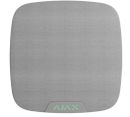
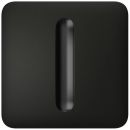
Easily manage security for multiple groups. Users can view what's armed and make changes with just one touch whether it's securing one group, multiple groups, activating night mode, or arming facility. It's all simple and straightforward.
Easy group management
Security mode of each group is available on the screen
Management of night mode and security mode of the entire system
Three authentication methods
There are three easy ways to control the keypad, giving users the flexibility to choose what suits them best. All events display in the feed, including user activity and authentication details.
Smartphone
Control the keypad via smartphone with an Ajax app. Only users approved by the admin have access rights.
Contactless access devices
The Pass card and the Tag key fob are equipped with original DESFire chips and feature the same functionality but different enclosures. You can choose the form that is convenient for you. One Tag or Pass can control 13 security systems.Access devices are sold separately in batches of 3/10/100 pieces.
Access for unregistered users
With a simple assignment of a personal access code in the hub settings, office employees, cleaning company staff, or other individuals enter the area with convenience at its finest.
KeyPad TouchScreen provides a tab with configurable panic buttons that can notify about three event types. If the user is forced to disarm the system, they can use a duress code. It simulates disarming and simultaneously sends an alarm to the security company.
Tab with panic buttons to notify about alarm, fire, or auxiliary event
Screen
Big touch panel for easy system control. Keypad remains impeccable with scratch-resistant glass
Sensors
Light sensor for automatic backlight adjustment - bright during the day, not dazzling at night. Proximity sensor for automatic keypad activation when a hand approaches
Notifications
Buzzer impossible-to-ignore with different patterns to indicate an alarm, delay, or other event
Antennas
Cards and key fobs reader for authentication when using Tag or Pass. BLE reader for authentication when using smartphone
Installation
SmartBracket panel. No need to disassemble the enclosure to install the device. Channel raceway provides a secure 12 V--- cable fit
Enclosure
Tamper. Triggers when someone tries to tear off the keypad from the surface or remove it from the mounting panel. Hole for fixing the keypad with the bundled screw to mount a keypad securely
Unique touch screen operation experience
A high-resolution screen accommodates all necessary controls, ensuring a visually stunning and high-quality image. With automatic brightness adjustment and sleek glass material, the product offers aesthetics and convenience.
| © 2026 Respective owners and brand holders. This table has been carefully researched and generated by ComXpert International CC (//www.comx.co.za), however, errors and omissions may occur. Only references to South Africa apply. All products are sourced in South Africa from the official suppliers and the warranty is that of the local supplier. E&OE. This table and our site's content may be used on condition that this notice and link remains intact and unaltered. |
Specifications and features |
| Product Code | AJAX-KP-TS-B |
| Compatibility |
| Control panels | Hub 2 (2G) |
| Hub 2 (4G) |
| Hub 2 Plus |
| Hub Hybrid (2G) |
| Hub Hybrid (4G) |
| Differences between hubs |
| Range extenders | ReX 2 |
| Communication |
| Jeweller communication technology | Proprietary wireless communication technology to transmit commands, alarms, and events. |
| Key features: |
| Two-way communication. |
| Advanced sabotage protection. |
| Block encryption featuring a dynamic key. |
| Instant notifications. |
| Remote configuration in the Ajax apps. |
| Frequency bands | 866.0 - 866.5 MHz |
| 868.0 - 868.6 MHz |
| 868.7 - 869.2 MHz |
| 905.0 - 926.5 MHz |
| 915.85 - 926.5 MHz |
| 921.0 - 922.0 MHz |
| Depends on the sales region. |
| Maximum effective radiated power (ERP) | up to 20 mW |
| Automatic power control to reduce power consumption and noise interference. |
| Radio signal modulation | GFSK |
| Radio signal range | up to 1,700 m |
| Between keypad and hub (or range extender) in an open space. |
| Calculate the radio signal range at the facility |
| Encrypted communication | All the data stored and transmitted are protected by block encryption with a dynamic key. |
| Frequency hopping | Radio communication uses frequency hopping to prevent interception and jamming. |
| Wings communication technology | Proprietary wireless communication technology for transmitting the list of the groups, rooms and detectors to form the list of malfunctions. |
| Key features: |
| Two-way communication. |
| Block encryption featuring a dynamic key. |
| Advanced sabotage protection. |
| Reloading the data packages in case of transmission errors. |
| Frequency bands | 866.0 - 866.5 MHz |
| 868.0 - 868.6 MHz |
| 868.7 - 869.2 MHz |
| 905.0 - 926.5 MHz |
| 915.85 - 926.5 MHz |
| 921.0 - 922.0 MHz |
| Depends on the sales region. |
| Radio signal range | up to 1,700 m |
| Between keypad and hub (or range extender) in an open space. |
| Calculate the radio signal range at the facility |
| Encrypted communication | All stored and transmitted data are protected by block encryption with a dynamic key. |
| Frequency hopping | Radio communication uses frequency hopping to prevent interception and jamming. |
| Display |
| Diagonal | 5" |
| Matrix type | IPS |
| Resolution | 480 x 854 px |
| Sensor | capacitive |
| Brightness settings | automatic |
| manual |
| If Auto Adjust is enabled, the display brightness depends on the light conditions. This saves battery power. |
| Backlight lifetime | 30,000 hours |
| Guaranteed backlight lifetime when the Always Active Display toggle is enabled. It can be adjusted in Ajax apps and activates only when external power is connected. |
| User interface |
| Dark |
| Light |
| Key features |
| Panic buttons | panic |
| fire |
| auxiliary help |
| Sending an alarm or calling for help from the separate keypad tab. |
| Control | codes |
| Tag key fobs |
| Pass cards |
| smartphone (Bluetooth) |
| Contactless access | DESFire EV1, EV2 |
| ISO14443-A (13.56 MHz) |
| Access codes | up to 200 personal codes |
| One code per each user. The number of personal access codes depends on the hub model. |
| 1 keypad code |
| Per each KeyPad TouchScreen. |
| Duress codes | up to 200 personal codes |
| One code per each user. The number of personal duress codes depends on the hub model. |
| 1 keypad code |
| Per each KeyPad TouchScreen. |
| Codes for unregistered people | up to 99 personal codes |
| For people who are not registered in the Ajax system. The number of such codes depends on the hub model. |
| Arming without entering a code | The enabled feature allows the user to arm the system without entering a code or presenting the access device. |
| Group management | Changing the security mode of the groups to which the user has access from the keypad's display. |
| Scenarios management | A separate keypad tab contains up to 6 buttons, and each one can control one automation device or a group of devices. |
| Indication of malfunctions and security mode | display |
| logo |
| sound indication |
| If enabled, the logo lights up red continuously or when the system or group is armed. KeyPad TouchScreen indication is shown on the display only when it is active. Built-in buzzer notifies about alarms, door openings and entry/exit delays. |
| Fire alarm muting | Turns off the fire detectors alarm, including the interconnected alarm. |
| User pre-authorization | When the feature is enabled, viewing the current system status and control screen is unavailable. For access, the user must pre-authorize: enter a code or present a personal access device to the keypad. |
| Contactless authorization with a smartphone | A smartphone with the installed Ajax app and Bluetooth Low Energy (BLE) support can be used instead of Tag or Pass to authorize a user. BLE is a radio protocol with low power consumption. The keypad supports Android and iOS smartphones with BLE 4.2 and higher. |
| Auto screen wakeup | The keypad wakes up automatically when approaching it. The approaching distance can be adjusted in the app. |
| Remote firmware update | When a new firmware is available, an admin or PRO with the rights to configure the system can run the update in Ajax apps. |
| The keypad must be connected to an external power supply to update the firmware. |
| Recommendations |
| The device is designed for indoor use only. |
| Please note that the keypad must be connected to an external power supply to update the firmware and keep the screen always active. |
| Sabotage protection |
| Unauthorized access auto-lock | The keypad locks if an incorrect code is entered or unverified access devices are used more than 3 times in a row within 1 minute. The lock time is adjusted by PRO or user with admin rights in the Ajax app. |
| Tamper alarm | Notifications on attempts to detach the keypad from the surface or remove it from the mounting panel. |
| Holding screw | To secure the keypad on SmartBracket. |
| Protection against spoofing | device authentication |
| Communication loss detection | after 36 s |
| Detection time depends on the Jeweller or Jeweller/Fibra settings. |
| Power supply |
| Batteries | 6 x AA |
| Pre-installed. |
| Calculated battery life | up to 1.5 years |
| With default settings and up to 4 interactions with a keypad per day. |
| Keypad's operating voltage range | 10.5-14 Vdc, up to 0.4 A |
| The batteries serve as a backup when the external power supply is connected. |
| Keypad's nominal operating voltage | 12 V--- |
| Enclosure |
| Dimensions | 172 x 82 x 26 mm |
| Weight | 327 g |
| Operating temperature range | from -10°C to +40°C |
| Operating humidity | up to 75% |
| Colours |
| Colours | Black |
| White |
| Complete set |
| Complete set | KeyPad TouchScreen |
| SmartBracket mounting panel |
| 6 �� batteries (pre-installed) |
| Installation kit |
| Quick start guide |




 Up
Up Down
Down


 Mobile store