| |

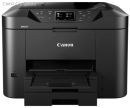
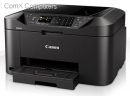
iP-CTR4645 Canon Pixma TR4645 4-in-1 A4 Colour Multifunction Printer, Print, Copy, Scan, Fax, Duplex, USB, WiFi
Images are for illustrative purposes and actual product may differ.
iP-CTR4645 Printers - Multifunction InkjetCanon
iP-CTR4645 information and overview
Canon Pixma TR4645 4-in-1 A4 Colour Multifunction Printer, Print, Copy, Scan, Fax, Up to 4800x1200 dpi print Resolution, 2 fine cartridges (Black & Colour), Approx 8.8 ipm mono print Speed, Approx 4.4 ipm Colour print Speed, Auto Duplex print, Maximum 100 sheets front Tray, Flatbed (ADF / platen) CIS Colour Scanner, 600 x 1200 DPI Scanner Resolution (Optical), Full dot LCD (Monochrome) Display, Hi-Speed USB, Wi-Fi, Canon print App Easy-PhotoPrint editor App, Apple AirPrint
Specifications & more information about iP-CTR4645, Printers - Multifunction Inkjet manufactured by Canon
Product information notice: Some specifications may describe a broader product range and may not apply to this exact model. Use the product summary above as the primary model reference. Bundled software may be trial software and can require a separate licence.
Overview Summary The Canon PIXMA TR4645 4-in-1 printer is a compact and versatile solution for home and small office environments in South Africa. With capabilities to print, copy, scan, and fax, this printer ensures professional-quality output every time. Its wireless connectivity through Wi-Fi, the Canon PRINT app, and Apple AirPrint makes printing from your smartphone or tablet effortless. Automatic duplex printing and a 20-sheet document feeder save time and paper, while front-loading trays and easy cartridge replacement simplify daily use. Buy now to enhance productivity and enjoy vibrant colour prints and sharp black text for all your document needs.
Performance tier: Mid-range
Uses: Printing, scanning, copying, faxing, home office, small office, photo printing Overview Canon PIXMA TR4645 4-in-1 Colour Printer for Home and Office Use
The Canon PIXMA TR4645 is a compact, multifunctional 4-in-1 printer designed for home and small office environments. With its user-friendly setup, seamless wireless connectivity, and versatile functionality, it allows you to print, scan, copy, and fax with ease. Its smart design makes managing documents simple while delivering high-quality results. Description This all-in-one printer combines reliable performance with intuitive control. Print sharp black text and vibrant colour images using pigment and dye inks. Features such as automatic duplex printing, a 20-sheet automatic document feeder, and front-loading paper tray enhance efficiency. Wireless connectivity through Wi-Fi, the Canon PRINT app, and Apple AirPrint ensures effortless printing from laptops, PCs, and smart devices. Eco-conscious design reduces plastic waste, and energy-saving auto power on/off helps you save both time and resources. Features Effortless Wireless Printing and Scanning
Stay productive from anywhere in your home with Wi-Fi connectivity. The Canon PRINT app enables printing, scanning, and copying directly from smartphones or tablets, providing full control over your printer without needing a computer.
Compact Design, Simple Setup
Designed for convenience, the PIXMA TR4645 can be set up quickly using the smartphone app or online guides. Easy-access ink cartridges, simplified paper loading, and a document removal reminder make daily operation hassle-free.
Efficient Document Handling
The 20-sheet automatic document feeder (ADF) allows you to copy or scan multiple-page documents without manual intervention. Automatic 2-sided printing reduces paper usage and speeds up document handling.
Professional Print Quality
Produce crisp black text with pigment ink and vibrant colour prints using dye-based inks. This printer ensures your documents look professional, and your photos are rich and vivid. Borderless 4x6 inch photo printing is ready in just 65 seconds.
Eco-Friendly and Energy-Saving
Canon reduces environmental impact through approximately 65% less plastic packaging. The auto power on/off function conserves energy when the printer is not in use.
User-Friendly Controls
A clear monochrome LCD makes operation simple, allowing you to monitor tasks and manage print jobs efficiently.
Paper Handling Made Easy
Front-loading paper tray accommodates up to 100 sheets of A4, making it simple to load paper and maintain workflow.
Fast and Reliable Printing
Print speeds of up to 8.8 ipm for black and 4.4 ipm for colour ensure you complete tasks quickly without compromising quality.
What's Included in the Box - 4-in-1 PIXMA TR4645 printer
- 2 FINE cartridges (black and colour)
- Power cord
- Fax/phone line cable
- Manuals and documentation
Specifications | ©2026 Respective owners and brand holders. This table has been carefully researched and generated by ComXpert International CC (//www.comx.co.za), however, errors and omissions may occur. Only references to South Africa apply. All products are sourced in South Africa from the official suppliers and the warranty is that of the local supplier. E&OE. This table and our site's content may be used on condition that this notice and link remains intact and unaltered. | Specifications | | Product Code | iP-CTR4645 | | General Specifications | | Functions | Wi-Fi, Print, Copy, Scan, Fax & Cloud | | Printer Specifications | | Print Resolution | Up to 4800 x 1200 dpi | | Print Technology | 2 FINE Cartridges (BK, CL) | | Mono Print Speed | Approx. 8.8 ipm | | Colour Print Speed | Approx. 4.4 ipm | | Photo Print Speed | Borderless 4" x 6" (10x15cm): Approx. 65 seconds | | First-Print-Out Time | Mono: 11 sec (ready/simplex) | | Colour: 19 sec (ready/simplex) | | Borderless Printing | Yes (A4, LTR, 4" x 6" (10x15cm), 5" x 7" (13x18cm), 8" x 10" (20x25cm)) | | Two Sided Printing | Auto Duplex Print (A4, Letter - Plain Paper) | | Cartridges and Yields | | Standard Ink Cartridges | PG-445, PG-445XL (Black) | | CL-446, CL-446XL (Colour) | | Cartridge Yield (Plain Paper) | A4 colour documents printing | | Black: 180 pages | | Black XL: 400 pages | | Colour: 180 pages | | Colour XL: 300 pages | | Paper Support | | Paper Types | Plain Paper | | Photo Paper Pro Platinum (PT-101) | | Photo Paper Pro Luster (LU-101) | | Photo Paper Plus Glossy II (PP-201) | | Matte Photo Paper (MP-101) | | Glossy Photo Paper ""Everyday Use"" (GP-501) | | High Resolution Paper (HR-101N) | | Envelope | | Photo Paper Plus Semi-gloss (SG-201) | | Canon Red Label Superior(WOP111) | | Canon Oce Office Colour Paper(SAT213) | | Restickable Photo Paper(RP-101) | | Magnetic Photo Paper(MG-101) | | Greeting Card (manufactured by Avery and RedRiverPaper) | | Maximum Paper Input | Front Tray: Max. 100 sheets (plain paper) or 20 sheets (photo paper) | | ADF: A4, LTR: 20 Sheets, LGL: 5 Sheets | | *Please refer to online manual for a detailed list of paper load limits, which will vary depending on media type and page size selected. | | Paper Sizes | Front Tray: A4, A5, A6, B5, LTR, LGL, 4"x6" (10 x 15 cm), 5"x7" (13 x 18 cm), 8"x10" (20 x 25 cm), Envelopes (DL, COM10) | | [Custom size] width 101.6 mm - 215.9 mm, length 152.4 mm - 676 mm | | ADF: A4, LTR, LGL | | Paper Weight | Front Tray: Plain Paper: 64 g/m2 - 105 g/m2 or supported genuine Canon papers | | Canon paper: Max. paper weight Approx. 300 g/m2 | | (Photo Paper Pro Platinum PT-101) | | Scanner Specifications | | Scanner Type | Flatbed (ADF / Platen) CIS colour scanner | | Scanner Resolution (Optical) | 600 x 1,200 dpi | | Line Scanning Speed | Colour: 3.5 ms/line (300 dpi) | | Greyscale: 1.5 ms/line (300 dpi) | | Scanning Depth (Input / Output) | Colour: RGB each 16bit/8bit | | Greyscale: 16 bit / 8 bit | | Maximum Document Size | Platen: A4/Letter (216 x 297 mm) | | ADF: A4/Letter/Legal (216 x 356 mm) | | Copier Specifications | | Copy Speed | ESAT/Simplex ADF (colour): Approx. 2.7 ipm | | ESAT/Simplex ADF (black): Approx. 6.4 ipm | | Copy Quality | 3 positions (Draft, Standard, High) | | Intensity Adjustment | 9 levels (automatic adjustment available, AE copy) | | Multiple Copy | 99 copies (max.) | | Copy Functions | Document Copying, Two-Sided Copy, 2-on-1 and 4-on-1 copy, Collated Copy (ADF only), Frame erase copy (Flatbed only), ID copy | | Copy Zoom | 25 - 400% | | Fit to page | | A5 to A4, B5 to A4, A4 to A5 and A4 to B5 | | Fax Specifications | | Fax Type | Super G3 / Colour | | Fax Resolution | Mono: 8pels/mm x 3.85 lines/mm(Standard) | | 8pels/mm x 7.7 lines/mm(Fine) | | 300 dpi x 300 dpi (Extra Fine) | | Colour: 200 x 200 dpi | | Fax Speed | Mono: approx. 3 sec. | | Colour: approx. 1 min. | | Modem Speed | maximum 33.6 kbps (Automatic fall back) | | Print Size | A4, LTR, LGL | | Fax Memory | Approx. 50 pages | | Automatic Dialing | Coded Speed Dialing: Max. 20 locations | | Group Dialing: Max. 19 locations | | Interface | | Display Type & Size | Full dot LCD(Monochrome) | | Display Languages | 32 Languages Selectable: | | Japanese, English (mm & inch), German, French, Italian, Spanish, Portuguese, Dutch, Danish, Norwegian, Swedish, Finnish, Russian, Ukrainian, Polish, Czech, Slovene, Hungarian, Slovakian, Croatian, Romanian, Bulgarian, Turkish, Greek, Estonian, Latvian, Lithuanian, Simplified Chinese, Korean, Traditional Chinese, Indonesian, Vietnamese | | Connectivity | | Standard Interface | Hi-Speed USB (B Port) | | Wi-Fi: IEEE802.11 b/g/n/ | | Wi-Fi Security: WPA-PSK, WPA2-PSK, WEP, Administration password | | Wireless LAN Frequency Band: 2.4GHz | | Mobile Apps | Canon PRINT app Easy-PhotoPrint Editor app | | Printer Features | Easy-PhotoPrint Editor Software | | Easy Layout Editor Software (Windows only) | | Canon Inkjet Smart Connect Software | | Creative Park app | | Cloud Link | | Canon Print Service Plugin (Android) | | Apple AirPrint | | Wireless Direct | | Mopria (Android) | | Compatible Print Services | Amazon Alexa | | Google Assistant | | Software | | Supported Operating Systems | Windows 11, Windows 10?Windows 8.1?Windows 7 SP1 | | Operation can only be guaranteed on a PC with pre-installed Windows 7 or later. | | Display environment: XGA 1024 x 768 or more | | Mac: OS X 10.15.7 ~ macOS 14 | | Chrome OS | | Mobile Operating Systems: iOS , iPadOS, Android | | *OS compatibility confirmed at time of launch, please check the Canon Download Centre for support of subsequently released OS's for this product. | | Minimum System Requirements | Windows: 1.5GB or more | | Note: for bundled software installation. The necessary amount of hard disk space required. | | Software Included | Printer Driver | | IJ Printer Assistant Tool | | Easy-PhotoPrint Editor (download) | | Physical Features | | Weight | approx. 5.8 kg | | Dimensions (W x D x H) | Approx. 435 x 295 x 189 | | Approx. 435 x 592 x 438 | | Acoustic Noise Levels | approx. 56.5dB(A) | | Recommended Operating Environment | 5-35degreesC | | 10-90%RH (no dew condensation) | | Power Source | AC 100-240V, 50/60Hz | | Duty Cycle | Up to 1,200 pages/month | | Power Consumption | Off: Approx. 0.3W | | Standby (USB connection to PC): Approx. 0.8W | | Standby (all ports connected): Approx. 1.4W | | Time to enter Standby mode: 10 minutes 6 sec | | Copying: Approx. 7W | | *The wait time for standby cannot be changed (Lot26) | | Typical Electricity Consumption | 0.21 kWh |
Similar Printers - Multifunction Inkjet

The best price and guaranteed service and backup from official computer suppliers in South Africa for the iP-CTR4645 Canon Pixma TR4645 4-in-1 A4 Colour Multifunction Printer, Print, Copy, Scan, Fax, Duplex, USB, WiFi. Available from this online computer store delivering door-to-door in Johannesburg, Cape Town, Port Elizabeth, Pretoria, Pietermaritzburg, Polokwane, Durban and all over South Africa. Find related iP-CTR4645 Canon Pixma TR4645 4-in-1 A4 Colour Multifunction Printer, Print, Copy, Scan, Fax, Duplex, USB, WiFi products in our Printers - Multifunction Inkjet Category for even more options. Read reviews and find out about iP-CTR4645 Canon Pixma TR4645 4-in-1 A4 Colour Multifunction Printer, Print, Copy, Scan, Fax, Duplex, USB, WiFi. Discounts, specials and cheap prices only at ComX Computers.
| |




 Up
Up Down
Down


 Mobile store