| ComX Computers - since 2002 • home » computer hardware | Sun 1 Nov, 2026 |  | |||
 |  | ||||
|
 | |||||
|
|
| ||||
| | | | | |
|
Hybrid 3.5" drives - SSD + mechanical | ||||
| There is 1 product in Hybrid 3.5" drives - SSD + mechanical
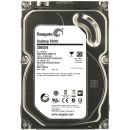
Displaying products 1 - 1 of 1 products Seagate Hybrid SSHD 2TB with 8GB MLC 3.5" 7200rpm 64MB Cache SATA3 Hard Disk Drive, SATA3 (6Gb / s) Interface, ST2000DX001 This product has been added to the cart. What would you like to do now: Category information
More information about Hybrid 3.5" drives - SSD + mechanical
Filter by brand
Brand filters for "hybrid 3.5" drives - ssd + mechanical" are available from the brand icons at the top of this page.
3.5 Inch Hybrid Hard Drives South Africa - High Capacity Storage with SSD Performance3.5 inch hybrid hard drives combine the large storage capacity of a traditional mechanical hard drive with the responsiveness of integrated solid-state flash memory. Often referred to as SSHDs (Solid State Hybrid Drives), these drives automatically cache frequently used files and applications, delivering faster boot times and improved everyday performance without sacrificing storage capacity. Hybrid drives are an excellent choice for desktop computers that need a balance of affordability, capacity and speed. They are particularly well suited to home users, office environments, creative professionals and gamers who require large amounts of storage while benefiting from noticeably faster system responsiveness than a conventional hard drive alone. What is a Hybrid Hard Drive?A hybrid hard drive combines two storage technologies inside a single 3.5 inch drive:
Unlike installing separate SSD and hard drive devices, the SSD portion of a hybrid drive is managed automatically by the drive's firmware. The system continuously learns which files, applications and operating system components are used most often and places them in the flash cache to improve performance. No manual configuration is normally required, allowing users to enjoy faster performance without changing the way they use their computer. How Hybrid Drives WorkWhen the computer starts, the hybrid drive monitors which files and applications are accessed most frequently. Over time, commonly used operating system files, office applications, games and other regularly accessed data are automatically stored in the solid-state cache. This intelligent caching process helps reduce loading times while maintaining the large storage capacity provided by the mechanical hard drive. As usage patterns change, the cache automatically adapts by replacing older data with newly accessed files, ensuring the drive continually optimises performance for your workload. Benefits of Hybrid Drives
Why Choose a 3.5 Inch Hybrid Drive?Desktop computers commonly use 3.5 inch drive bays, making hybrid drives a straightforward upgrade for many systems. They provide noticeably faster everyday performance than conventional hard drives while maintaining multi-terabyte storage capacities that remain cost-effective. Users who store large media libraries, business files, games or backups often benefit from hybrid drives because they avoid the higher cost of purchasing very large solid-state drives. Performance ExpectationsHybrid drives do not operate exactly like full SSDs because most data continues to reside on the mechanical storage platters. However, as the drive learns your usage patterns, commonly accessed files are automatically cached in solid-state memory. Typical improvements include:
Performance generally improves over several days of normal use as the drive's intelligent caching system identifies the files accessed most frequently. Typical Features
Common Applications
Buying GuideWhen selecting a hybrid hard drive, first determine how much storage capacity you require. Users storing large collections of photos, videos or games should consider higher-capacity models, while office users may prioritise overall responsiveness over maximum capacity. Hybrid drives are particularly suitable for upgrading older desktop computers that currently use conventional hard drives. Installation is typically straightforward because they fit standard 3.5 inch drive bays and connect using standard SATA interfaces. If maximum storage performance is your highest priority, a dedicated SSD remains the fastest solution. However, for users seeking an excellent balance of speed, storage capacity and affordability, hybrid drives continue to offer a practical and cost-effective upgrade. Why Buy From Us?
Frequently Asked QuestionsWhat is a hybrid hard drive? Is a hybrid drive as fast as an SSD? Do I need to configure the SSD cache? Are hybrid drives good for gaming? Will a hybrid drive fit my desktop computer? | |||||
 | | | |


 Up
Up Down
Down


 Mobile store